
// Case study
NotifyBridge.
An Android app that forwards notifications to a local MQTT broker so they surface in Home Assistant — no cloud, no Firebase, no third-party service. The phone publishes straight to a broker on your own LAN.
The problem
Home Assistant's own Companion app exposes a "Last Notification" sensor, and on paper that is the same feature. In practice it loses things. It keeps only the most recent notification, so a burst of messages can overwrite the previous sensor value. I needed a durable queue for delivery across lock-screen, Doze and broker outages, rather than relying on the latest sensor value or a messaging app's notification summary.
So the goal was narrow and testable: every notification from an allowed app arrives, intact, even while the phone is locked or the broker is briefly gone.
How it works
A notification listener service filters against a per-app allow-list, writes the survivors to a Room-backed outbox, and a foreground service drains that outbox to the broker. Home Assistant picks the sensor up on its own through a retained MQTT discovery message — no hand-written YAML.
Three decisions worth explaining
Persist first, publish second
The obvious implementation publishes straight from the listener callback. That loses data the moment the broker is unreachable — which, on a home network, is often. Writing to a Room outbox before attempting delivery means a broker outage, a reboot, or a dead Wi-Fi link degrades to a delay instead of a loss. The cost is a state machine and a drain worker to maintain; the benefit is that the app's core promise survives the network being imperfect.
A foreground service, declared honestly
NotifyBridge uses a foreground service for its ongoing MQTT connection. Apps targeting
Android 14 (API 34) or higher must declare an appropriate type and its type-specific
foreground-service permission. dataSync is not deprecated: on
Android 15,
apps targeting API 35 or higher have a six-hour budget in a 24-hour period while the
app is in the background, shared across all of the app's dataSync services.
At the limit, Android calls Service.onTimeout(int, int) and the service must
stop within a few seconds. Bringing the app to the foreground resets the budget.
I chose connectedDevice because the service interacts with a local broker
over the network. This type is not subject to the same six-hour timeout. It requires
FOREGROUND_SERVICE_CONNECTED_DEVICE and at least one of the
documented prerequisites.
NotifyBridge declares CHANGE_NETWORK_STATE, one supported option among
several. The trade-off is the qualifying permission and an ongoing service notification;
background-start and power-management rules still apply.
Local-only, including the failure modes
No telemetry or analytics service — notifications go directly to the user's own broker. TLS supports system CA and pinned certificates for self-signed home setups; a trust-all option is deliberately not exposed, because on a protocol carrying your notification text it would be a footgun disguised as convenience. Notification bodies in the in-app list stay masked until a per-item biometric unlock.
Screens
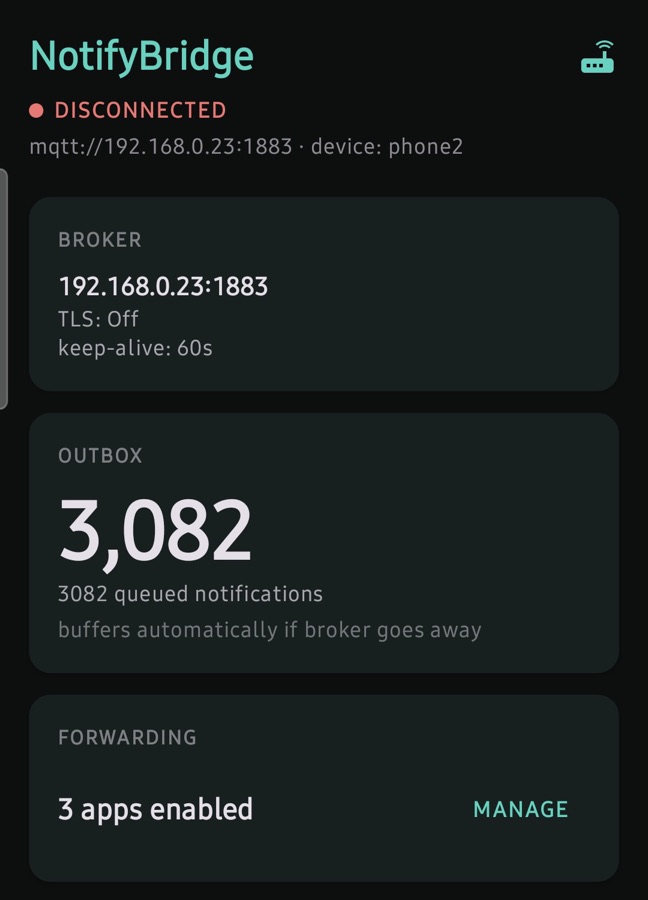
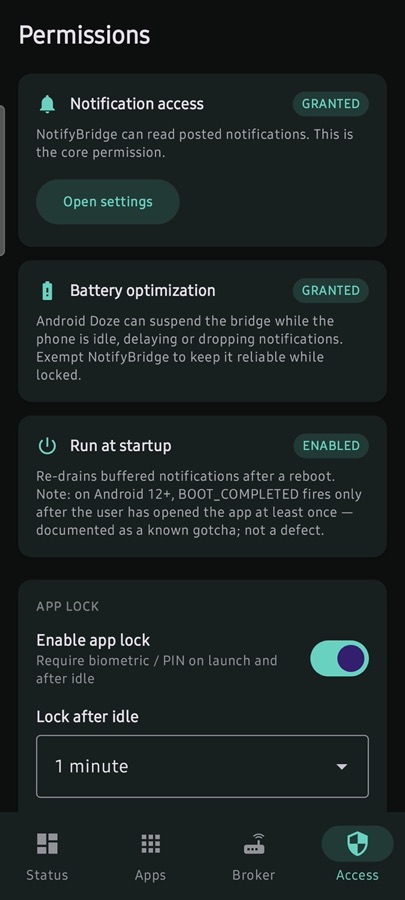
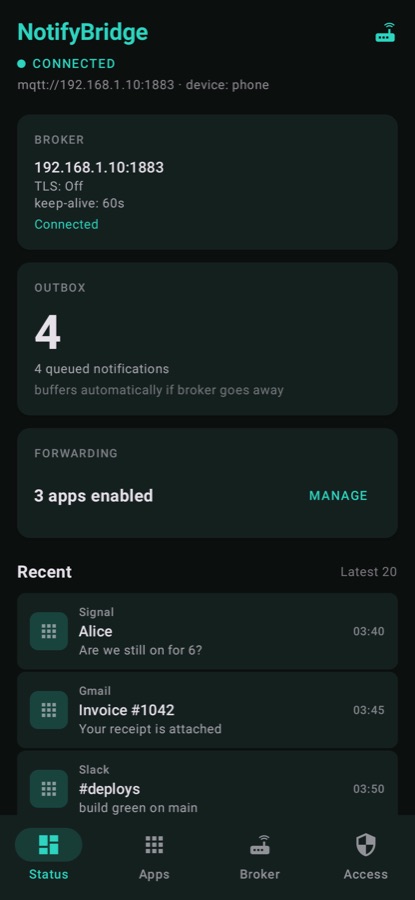
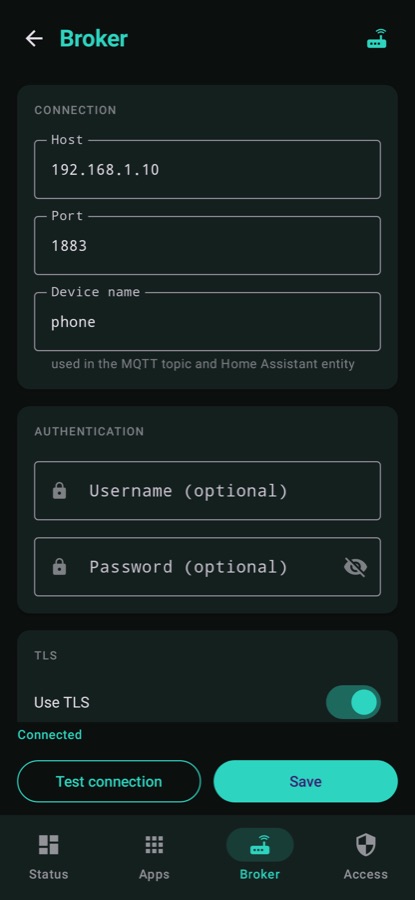
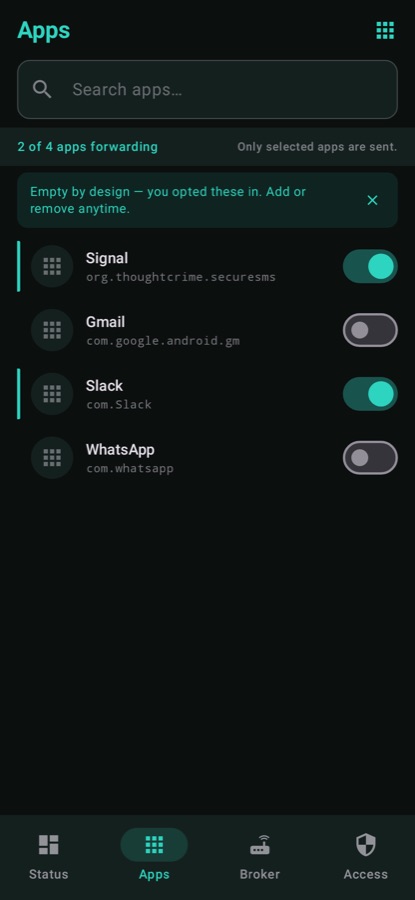
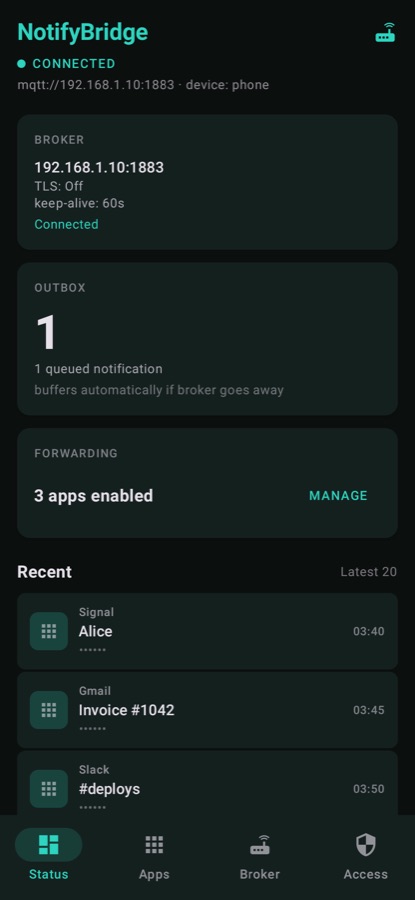
The first two are captures from a real device, cropped to remove live notification content. The four after them are Roborazzi goldens — Compose renders produced by the test suite itself. Nothing here is a mockup.
Keeping it honest
The reliability claim is only worth as much as the tests behind it, so the suite
targets the paths that can silently lose data: notification mapping (including
MessagingStyle and the body-priority chain), dedup and debounce, and
outbox enqueue, drain and prune.
- 124unit and instrumented tests
- 20screenshot goldens
- 2CI lanes
Screenshot tests use Roborazzi on Robolectric, pinned to a fixed device, SDK, locale
and timezone so a diff means a real UI change rather than environment drift. I chose it
over Paparazzi specifically because Paparazzi pins to particular AGP/LayoutLib versions,
and this project had already been bitten once by that coupling. The two lanes are a JVM
fast lane — build, unit tests, golden verification, detekt and lint — and an API-28
emulator lane, both running on every push to main and every pull request.
The fast lane is a required status check before anything merges.
Where it stands
v0.1.0, pre-release. The paths CI cannot reach — the live forwarding path is stripped from the debug APK, so the instrumented suite never exercises it — are covered by a ten-step manual device checklist, backed by a disposable Docker Compose Mosquitto and Home Assistant rig committed alongside the app. Bidirectional control, notification actions and media controls are explicit non-goals — the app does one job.
The release build still uses a debug keystore, so production signing remains open. Startup guidance must also account for Android's stopped-package rules: after a force-stop, the app cannot self-start until an explicit request starts one of its components. This is not a restriction unique to Android 12.
App-lock compatibility uses BiometricPrompt on API 30+ and device-credential
confirmation on API 26–29. AndroidX documents that combining
BIOMETRIC_STRONG with DEVICE_CREDENTIAL is
unsupported on API 28–29.
The existing version-specific fallback handles that restriction.